
compare
Pill Organizer vs Automatic Dispenser
Readers comparing Pill Organizer vs Automatic Dispenser need clearer tradeoffs, not generic feature lists.
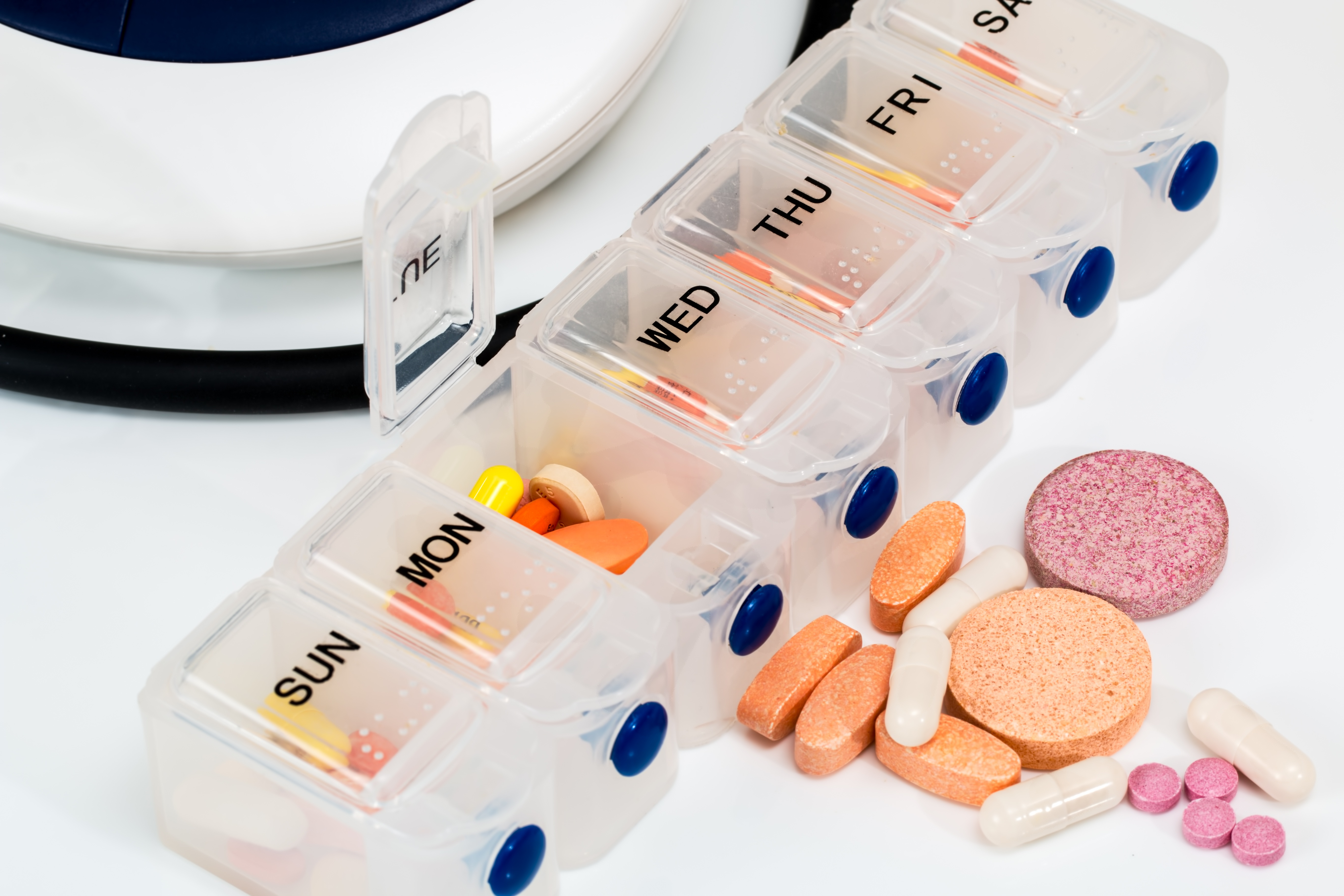
A pill organizer sorts scheduled tablets into labeled compartments. An automatic dispenser adds timed prompts and, on some models, controlled access to the next dose. The better choice depends on where the medication routine breaks down: remembering the time, choosing the right compartment, opening the lid, or following through after a reminder.
For someone who understands their schedule and needs help keeping pills organized, a clearly labeled box may be sufficient. If a parent repeatedly opens tomorrow's compartment or forgets whether they already took a dose, consider whether timed access and caregiver follow-up would address that specific problem. Neither product can confirm that a person swallowed the medicine simply because pills disappeared from a compartment.
This comparison offers selection criteria rather than a ranking of individual brands. Device features vary, so check the exact model's instructions before relying on a lock, alarm, missed-dose record, or remote notification.
Compare the Two Options at a Glance
| Decision point | Pill organizer | Automatic dispenser | | --- | --- | --- | | Main job | Separates pills by day and dosing period | Presents or releases scheduled doses with prompts | | Reminder | Usually needs a separate alarm or human cue | Usually includes an audible or visual prompt | | Access to future doses | Often all compartments remain accessible | Some models restrict access until a scheduled time | | Caregiver visibility | Requires looking at compartments or checking directly | Some models send alerts or record access events | | Filling | Manual sorting into labeled slots | Manual tray filling, cartridge loading, or another model-specific process | | Power and connectivity | Basic boxes need neither | May require batteries, mains power, Wi-Fi, or cellular service | | Outings | Removable daily sections can be convenient | Travel arrangements depend on the device | | Ongoing work | Refill, verify labels, and check use | Refill, verify programming, maintain power, and respond to exceptions |
An organizer with an alarm occupies the middle ground. It may prompt someone effectively while leaving every compartment accessible. Treat reminders, restricted access, and remote reporting as three separate features when comparing products.
Start With the Actual Medication Error
Describe a recent incident before shopping. “Dad forgot Tuesday morning's pills because he left for an appointment” suggests a different solution from “Dad took Wednesday's pills after finishing Tuesday's.” A louder alarm might address the first problem but does little to prevent the second if all doses remain available.
Also distinguish forgetting from choosing not to take a medicine. If a parent avoids pills because they feel dizzy afterward, an automated prompt does not resolve the concern. The FDA advises discussing side effects with a health professional and following the prescribed regimen rather than adjusting doses independently. See its medication safety tips for older adults.
Watch the sequence with the person's agreement: notice the cue, find the supply, select the dose, open the container, retrieve every pill, and complete the prescribed instructions. Write down the step that needs help. This gives you a concrete reason to choose one feature over another.
When a Pill Organizer Fits Well
A basic organizer is a reasonable candidate when the person can identify the day and dosing period, understand the labels, and use the compartments reliably. Its simplicity makes it easy to inspect and explain. There is no app account to maintain or clock to reset after a battery change.
Choose the layout around the prescription schedule. A seven-compartment box only separates seven dosing events; it does not distinguish morning from evening unless it has additional sections. Large tablets and multiple capsules may require deeper compartments, while someone with tremor may need a wider opening that allows pills to be tipped into a stable cup.
Test the lids with the intended user. An easy-open lid can help someone with arthritis, but a lid that pops open in a bag creates a different difficulty. Ask the person to read the labels under their usual lighting and retrieve a mock dose without someone pointing to the correct slot.
An organizer still needs a filling owner and a checking routine. If a daughter fills it each Sunday, name who covers a missed visit. A simple box becomes much less useful when everyone assumes someone else checked the contents.
When an Automatic Dispenser May Help
An automatic dispenser is worth evaluating when a scheduled cue or access barrier would solve an observed problem. For example, a parent may recognize an alarm and retrieve the offered dose correctly but struggle to choose among several similar compartments.
Some dispensers keep later compartments locked until their scheduled release. Others only illuminate or sound an alarm beside an accessible compartment. The Alzheimer's Society's guide to assistive technology describes prefilled dispensers that open the appropriate compartment and monitored reminders connected to support. These examples do not establish what every product can do.
A connected model may suit a family that needs notification of an uncollected dose, provided somebody can act on the notification. Decide whether the response will be a call, a nearby caregiver visit, or another agreed step. An alert sent to a sibling who is asleep or unable to reach the home leaves the original problem unresolved.
Automation also creates setup responsibilities. Someone must understand schedule changes, check that the clock is correct, and know how to retrieve medicines if the mechanism fails. Evaluate the caregiver's ability to maintain the system alongside the older adult's ability to use it.
Check Medication Compatibility Before Filling Either Product
Take an up-to-date medication list to the pharmacist and ask which medicines can be removed from their packaging and for how long. Include supplements and nonprescription products. Follow medication-specific storage instructions; the FDA notes that improper storage can affect a medicine's safety or effectiveness in its older-adult medication guidance.
Do not assume that liquids, inhalers, injections, refrigerated medicines, or products requiring special packaging belong in a pill dispenser. Ask how those treatments will fit into the overall routine. A device that handles tablets well can still leave an important part of the schedule unmanaged.
Variable doses and as-needed medicines deserve a separate discussion. A dispenser cannot decide whether pain medicine is appropriate or interpret a clinician's conditional instructions. Do not turn an as-needed prescription into a fixed daily dose just to fit a device's schedule.
Ask what should happen after a prescription changes. If a clinician stops a tablet on Wednesday, somebody needs to identify and correct any remaining prefilled doses. Keep labels and a current list available; appearance alone is a poor basis for deciding which similar-looking pill to remove.
Understand the Limits of Locks and Logs
A lock can limit access to stored doses, depending on its design, but it does not make the entire home medication supply secure. Spare bottles, travel containers, and medicines belonging to another person may still be accessible. Consider the whole storage arrangement, including visiting children, rather than relying on one locked tray.
Ask the seller exactly what a “taken” record means. It might mean a lid opened, a cup was lifted, or a dose was released. Those events are useful clues, but none alone demonstrates swallowing. When reviewing an unexplained empty compartment, allow for spilled pills or a dose placed elsewhere.
Also inspect missed-dose behavior. Does the dose stay available, become inaccessible, or remain in a cup when the next dose arrives? Could two releases accumulate? Ask for a demonstration of that scenario rather than assuming the device will handle it in the way your family expects.
These questions are particularly relevant when someone forgets what the alarm means or becomes distressed by a locked container. If the user cannot complete the sequence even with coaching, discuss direct medication assistance with their care team. Increasing the number of reminders may simply increase confusion.
Calculate Capacity and Caregiver Work
Compare dosing events with compartments, not advertising claims about days. A tray with 28 compartments lasts seven days at four scheduled events a day, assuming each event fits one compartment. It lasts longer with fewer daily events. Confirm whether your actual pills fit without obstructing lids or the dispensing mechanism.
Time a practice refill. Include reading the current list, checking each medicine, loading the tray, verifying the start position, and securing it. A larger tray can reduce refill visits, but it also means more compartments to correct when prescriptions change.
For a dispenser, add programming and troubleshooting to that estimate. Can the backup caregiver change the schedule? Do they have the key, instructions, and necessary account access? A system maintained by only one person is vulnerable during illness or travel.
Compare total costs over the period you expect to use the product. Request current information about the device, subscriptions, connectivity, replacement trays, shipping, return conditions, and support. This guide does not quote prices because those depend on the model and service plan. Ask what stops working if a subscription ends.
Test the Routine Before Relying on It
Use a supervised trial suited to the person's risk and the medication schedule. For an initial handling demonstration, use empty compartments or clearly identified demonstration materials kept separate from medicines. Do not add extra real doses to test an alarm.
1. Ask the user to respond to the normal cue without prompting the answer. 2. Watch whether they find and retrieve the intended contents without spilling. 3. Check that labels, lights, and sounds work from their usual seat or room. 4. Have the caregiver practice refilling and verifying the configuration. 5. Test a missed-event notification according to the manufacturer's instructions. 6. Confirm the backup process before leaving the person to use the system independently.
Keep brief notes during the initial period: what cue occurred, whether help was needed, and what went wrong. “Could not lift the cup with one hand” is more useful than “didn't like the machine.” Review the result together and adjust the equipment or support around the specific barrier.
Include ordinary disruptions. A parent who manages breakfast at home may need a separate plan for a morning appointment, a late return, or an overnight visit. Agree with the pharmacist how to handle schedule questions rather than moving doses to make the trial look successful.
Plan for Power Loss, Travel, and Changed Prescriptions
Read the manual's power-failure instructions. Check whether batteries preserve the clock, operate the dispensing mechanism, or both. If remote reporting needs internet or cellular service, establish what still functions when that connection fails. A working local alarm does not necessarily mean a caregiver received an alert.
Write down who can reach the home and access the medication supply if the device jams. Keep support contact information and the product instructions where that person can find them. Test access while everything is working, rather than discovering a missing key during a missed-dose incident.
For travel, ask whether the device has a documented travel mode or removable dose arrangement. Discuss packaging and timing with the pharmacist. Avoid setting up a second informal supply without accounting for which doses remain in the original organizer or dispenser.
After a hospital stay or medication change, reconcile the current instructions before refilling. Give one person responsibility for updating the printed list, correcting compartments, and changing programmed times. Record when those tasks were completed so another caregiver does not accidentally restore the old schedule.
Questions Families Often Ask
Is an automatic dispenser safer for everyone with memory problems?
No single device fits every stage or pattern of difficulty. Someone may respond reliably to one cue yet be unable to retrieve the pills, remember what to do next, or avoid taking loose medicines elsewhere. Base the decision on observed use and professional input when medication errors are occurring.
Can a phone reminder replace a dispenser?
It may help when the main obstacle is noticing the time and the person otherwise selects and takes the correct dose reliably. It does not restrict access to future pills. Trial the reminder where the phone normally stays, including whether the person hears it and understands the message.
What if a dose is missing or might have been taken twice?
Do not infer the answer from an empty slot or automatically take a replacement. Contact the pharmacist or prescriber for instructions specific to the medicine and situation. For suspected overdose, contact your local poison service promptly; call emergency services for severe symptoms such as trouble breathing or loss of consciousness.
Make the Choice Around One Observable Need
Choose a pill organizer when sorting and clear labels address the problem and the user can follow the routine. Consider an automatic dispenser when a timed cue, restricted access, or an actionable caregiver alert addresses a demonstrated gap. Arrange direct help when neither option supports reliable use.
Before buying, complete three tasks: confirm medication compatibility with the pharmacist, watch the intended user handle the product, and name the person responsible for refills and exceptions. Those checks turn a feature comparison into a workable household decision.
Featured image: Stevepb, Pill Organizer With Vitamins And Medicines, via Wikimedia Commons, CC0.