
compare
Medical Alert Necklace vs Watch
Readers comparing Medical Alert Necklace vs Watch need clearer tradeoffs, not generic feature lists.
Choose a medical alert necklace when its button, wearing position, and battery routine are easier for your parent to manage. Choose a medical alert watch when your parent prefers something on the wrist and can reliably fasten, charge, and activate it. Neither format is automatically safer: the deciding question is whether the complete system works where your parent spends time and whether they will actually wear it.
This comparison focuses on practical selection for families, rather than ranking particular subscriptions. Manufacturer examples illustrate why you should check the exact model and service plan before ordering. This is a comparison of published instructions, not a hands-on device test.
First, distinguish an alert device from medical identification
A medical alert necklace generally means an electronic help button worn on a lanyard. An alert watch places an emergency button or calling function on the wrist. However, a medical ID necklace or bracelet may only carry engraved information about a condition, allergy, or emergency contact. It does not necessarily transmit an alert.
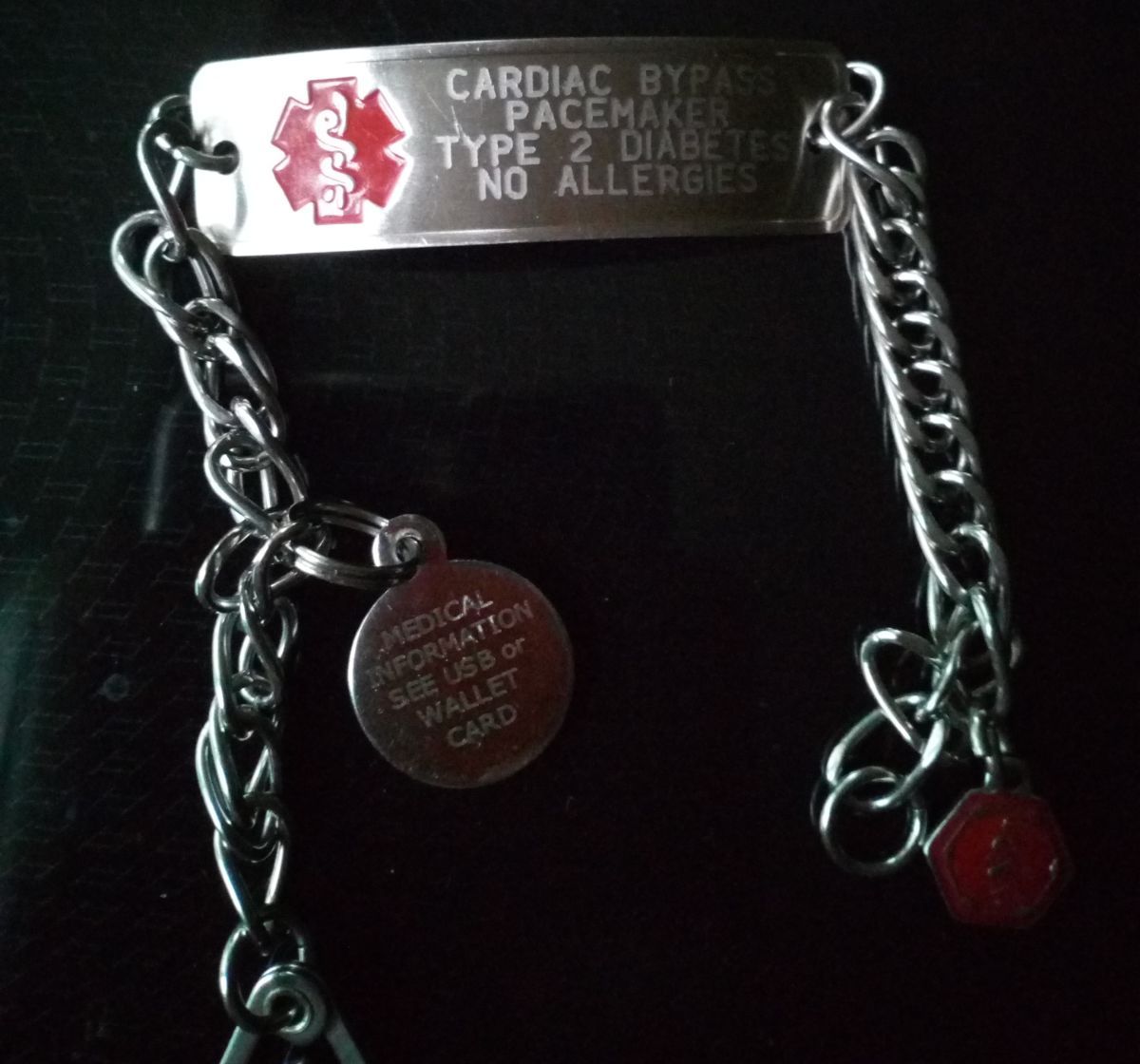
The featured photograph on this page shows a medical identification bracelet, not a connected emergency-calling watch. When shopping, look for an explanation of what happens after the button is pressed, who receives the call, and what connection is required. A label saying “medical alert” is not enough to establish those capabilities.
MedlinePlus includes personal emergency response systems among precautions older adults, especially those living alone, can consider. That advice does not establish that a particular necklace or watch is the right choice for every person. MedlinePlus: recognizing medical emergencies.
Necklace vs watch: the practical comparison
| Decision point | Necklace or pendant | Watch or wrist device | | --- | --- | --- | | Wearing comfort | Check weight, cord length, and whether it swings during movement | Check strap fit, skin comfort, and interference with sleeves | | Activating help | Try locating and pressing the chest-level button | Try reaching the wrist button with the opposite hand | | Charging | A simple home-system button and a mobile pendant can have very different battery arrangements | Check recharge frequency and whether the wearer can seat it correctly in its dock | | Conversation | Audio may come from the pendant or a separate base unit | Confirm where the speaker is and how clearly the wearer hears it | | Outside coverage | Depends on whether the pendant is mobile or connected to a home base | Depends on the watch's service and connection requirements | | Automatic fall alerts | Check the specific sensor, subscription, and wearing instructions | Check the specific model; wrist placement alone proves nothing about detection | | Acceptance | Some people prefer a simple visible button; others dislike a neck cord | Some prefer a familiar watch shape; others dislike a bulky wrist device |
Use this table to identify questions, rather than treating each column as a fixed specification. A wrist button supplied with a home base is not necessarily a standalone cellular watch. Similarly, a necklace can be either a small transmitter or a mobile calling device.
Understand the system behind the wearable
A button paired with a home base
With this arrangement, the wearable sends a signal to a separate unit. Before buying, ask where the conversation takes place and how to test the button throughout the house. If audio comes through the base, hearing an operator from another room becomes an important part of the trial.
Ask about the base's connection, backup battery, and behavior during power or service interruptions. Walk through the actual spaces your parent uses: the bedroom, bathroom, laundry area, porch, and any outbuilding. Treat an advertised range as a starting point for testing, rather than evidence that every room is covered.
A mobile pendant or dedicated alert watch
A mobile wearable may contain its own cellular connection and speaker. Confirm that it operates independently of a phone, and ask which network it uses. Your parent's phone having reception does not establish reception for a device using a different carrier.
For example, Bay Alarm Medical states that its SOS Smartwatch does not require a paired smartphone and includes a dedicated physical SOS button. It also describes optional fall detection and charging on a station. These are features of that model, not promises about every alert watch. Bay Alarm Medical: SOS Smartwatch.
A general-purpose smartwatch
If your parent already has a smartwatch, first identify its emergency features, account settings, connectivity needs, and call destination. Do not assume it includes the same monitoring service as a dedicated medical alert subscription. Ask who handles an alert when the wearer cannot speak and what happens if the usual phone is elsewhere.
Compare the complete calling process before comparing screens, step counters, or appearance. A watch that is familiar can be convenient, but a feature that has never been enabled or practiced is a weak foundation for an emergency plan.
Comfort and button access should drive the trial
Invite your parent to handle both formats while seated comfortably. Can they identify the help button by touch? Can they perform the required press or hold without repeated coaching? Try with the clothing they usually wear, including a cardigan or jacket, and check whether fabric obscures the button.
For a necklace, watch for swinging, pressure on the neck, and difficulty reaching the device. Follow the supplied lanyard instructions rather than substituting a decorative cord. If the wearer finds the pendant distracting and repeatedly removes it, that observation should influence the decision even if relatives prefer its specifications.
For a watch, have your parent put it on and remove it. Check whether the clasp requires fine finger movements they find painful or frustrating. Ask whether it crowds an existing watch or catches on sleeves. The opposite hand must also be able to reach the emergency control comfortably.
These are everyday usability checks, not emergency simulations. Do not ask someone to fall, lie on the floor, or make a difficult transfer to prove a device works. Use the manufacturer's approved testing process for the calling function.
Charging creates a coverage question
Write down the entire charging routine before committing to either format. Who notices a low battery? Who places the device in its dock? How does that person confirm charging has started? Who returns it to the wearer? A reminder alone is insufficient if your parent cannot align the device with the charger.
Medical Guardian's MGMini support instructions describe battery indicators, charging confirmation, and an optional secondary button that can connect to the mobile unit during charging within its stated range. The same instructions warn that a powered-off unit cannot connect to monitoring. This illustrates why charging coverage needs a model-specific answer. Medical Guardian: MGMini support.
Ask the provider to explain the approved way to maintain access to help while the wearable is charging. If your parent frequently gets up at night, discuss that routine explicitly. A charger on the bedside table may be convenient, but convenience does not establish that an unworn device remains reachable from the bathroom.
During the return period, record charging difficulties as well as successful calls. A device can perform well in a demonstration and still be unsuitable if the wearer repeatedly leaves it in its dock after breakfast.
Fall detection is a separate purchasing decision
Compare manual help calling and automatic fall alerts separately. Ask whether fall detection is available on the exact device you are ordering, whether it requires an additional subscription, and how it should be worn. Do not infer availability from the brand name or from the necklace-versus-watch format.
Bay Alarm Medical's comparison of its mobile products states that SOS Micro does not include fall detection, while its SOS Mobile and SOS Smartwatch offer it. That distinction shows why two similar-looking wearables can address different needs. Bay Alarm Medical: choosing between mobile devices.
Medical Guardian also states that MGMini fall detection does not identify every fall and gives positioning instructions for its pendant. Follow the applicable manual and press the help button if able when help is needed. Medical Guardian: fall detection instructions.
Ask how to cancel an accidental alert and how the monitoring service responds when nobody answers. Do not attempt to test detection by dropping the device or staging a fall. Request the provider's approved procedure, and make sure family members understand the limitations rather than treating automatic detection as a guarantee.
Shower use and overnight wear need explicit answers
Read the water-use instructions for the actual device, including its accessories. Ask whether showering is permitted, whether immersion is prohibited, and how to dry it afterward. “Water resistant” on a sales page should lead to a manual check, especially if bathroom access to help is the main reason for purchasing.
Write down when your parent normally removes jewelry or a watch. If they habitually take everything off before bathing, choosing an approved shower-compatible device will also require a wearing routine they accept. Ask about compatible bathroom buttons or other arrangements if continuous wearable use is impractical.
For overnight use, consider comfort, button access, and charging together. Discuss whether the wearable will stay on, where it goes when removed, and how your parent would call for help after getting out of bed. Record the provider's answer about coverage instead of assuming daytime performance carries over to every nighttime situation.
Hearing, memory, and caregiver involvement
During an approved test call, check whether your parent can hear and understand the response at the provider's available volume settings. Also ask the operator whether the wearer's voice is clear. If your parent uses hearing aids, consider their usual evening routine when evaluating communication.
Ask the service what happens when an alert arrives without an understandable reply. Give it accurate emergency contacts and confirm how to update them. Agree with your parent on any location-sharing features: who can see information, when it is used, and who manages access to the account.
If your parent cannot remember the button's purpose, repeatedly removes the device, or cannot manage charging even with support, bring those observations to their care team. Changing from a necklace to a watch may resolve a comfort problem, but it may not resolve a broader need for assistance. Define which tasks a caregiver will take over before relying on the system.
Compare total cost and cancellation terms
Request written quotes for the exact configuration you need. Include equipment, activation, shipping, monitoring, fall detection, additional buttons, and any optional protection plan. Ask whether equipment is owned or rented, what must be returned, and when billing stops after cancellation.
For a fair comparison, use a simple calculation: twelve months of the quoted recurring charges, plus one-time charges. Keep optional extras separate so the family can see what each choice adds. Check whether an introductory discount expires and whether the quoted renewal price changes the annual total.
Confirm the trial deadline and return procedure before opening an account. Ask when the trial begins, who pays return shipping, and whether any charges are nonrefundable. Keep the shipping receipt if returning equipment. A comfortable device still needs a service arrangement the family can sustain.
Use the trial to make the decision
Plan a short trial around ordinary activities rather than one impressive demonstration:
1. **Confirm the configuration.** Record the model, subscription, active features, call destination, and connection requirements. 2. **Practice activation.** Use approved test mode so your parent learns the actual press or hold sequence. 3. **Check usual locations.** Follow provider instructions to test the rooms and outdoor spaces where coverage matters. 4. **Observe wearing comfort.** Note when the device is removed, catches on clothing, or needs adjustment. 5. **Complete a charging cycle.** Confirm who handles it and how access to help is maintained during that interval. 6. **Review the response plan.** Verify contacts, address details, and arrangements for responder access with the service.
Keep brief notes: “needed help fastening strap,” “could not hear from hallway,” or “left pendant charging until lunch.” Those observations are more useful than a general impression that a device is easy to use. Contact the provider promptly about failed connections and resolve them before treating the system as dependable.
Which format should your family choose?
Start with a necklace if your parent prefers a chest-level button and can follow its wearing instructions comfortably. Start with a watch if they welcome a wrist device and can manage its clasp, control, and charging routine. In either case, let actual use during the trial determine whether the initial preference holds up.
If both are workable, compare coverage, communication, charging gaps, and total cost. If neither is workable, ask about another configuration and discuss support needs with the care team. For more questions to use when reviewing providers, see our medical alert systems guide.
The next practical step is to shortlist one suitable device in each format, obtain the manuals and written terms, and let your parent try the controls. Choose the system whose daily routine the household can reliably maintain.