
best
Best Medical Alert Systems
Families comparing Medical Alert Systems need a tighter shortlist, simpler criteria, and buying guidance rooted in real home use.
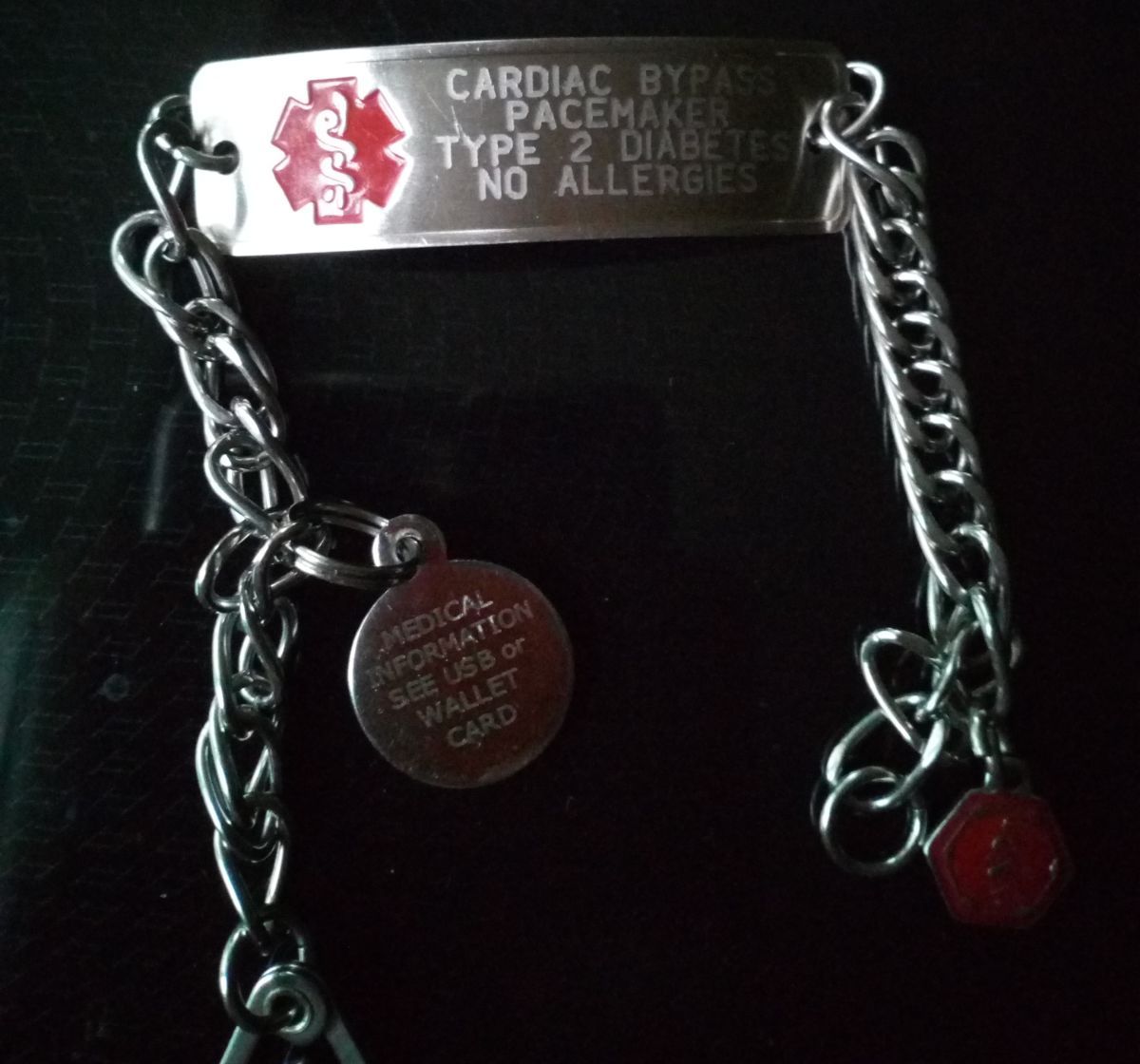
The best medical alert system is the one an older adult will actually wear, understand, and keep charged. For many families, that matters more than having the longest feature list. A button that is comfortable and connected can be lifesaving; a complicated device left on the dresser is just another bill.
This guide focuses on how to compare medical alert systems for seniors in real home use: at night, in the bathroom, during walks, after a fall, and when a caregiver is not nearby. It does not rank specific brands, because pricing, contracts, cellular coverage, and device lineups change often. Instead, it gives families a practical shortlist framework they can use before choosing a provider.
Why This Topic Matters
Medical alert systems solve a narrow but important problem: getting help started when someone cannot reach a phone. That can happen after a fall, during sudden weakness, after getting stuck in the bathroom, while walking outside, or when a caregiver is delayed.
Families are often balancing safety, dignity, privacy, and cost. The person wearing the device may fear being monitored or looking frail. The caregiver may fear a fall going unnoticed. A good system reduces that tension by making emergency help easier without turning the home into a constant surveillance project.
Medical alert systems are not a substitute for emergency care, fall prevention, medication review, or in-home support. They are a response tool. The best fit depends on where risk happens and who needs to be contacted when the button is pressed.
How to Choose What Fits Best
Start with location. If the person is almost always at home, a home-based system with a base station and wearable button may be enough. If the person gardens, walks, drives, shops, or spends time away from home alone, compare mobile systems with cellular service and GPS location support.
Next, decide whether fall detection matters. Automatic fall detection can be useful for someone with a history of falls, fainting, or being unable to press a button after an incident. It is not perfect, and it can trigger false alarms or miss some falls, so families should treat it as backup rather than a guarantee.
Then look at communication. Some systems connect to a professional monitoring center. Others notify family contacts through an app or device. Professional monitoring can help when family members are not always available, while caregiver-notification systems may work for households with a reliable response plan.
Finally, check the daily burden. The device needs to be worn, charged, tested, and accepted. A pendant may be easier for one person, while a wrist button may be less stigmatizing for another. A mobile unit with more features may require more charging discipline than a simple home button.
How to Narrow the Options
- Coverage: home-only, mobile, or both.
- Connection: landline, cellular, Wi-Fi assisted, or smartphone paired.
- Response model: professional monitoring, family contacts, or both.
- Wearability: pendant, wrist button, belt clip, smartwatch style, or wall button.
- Fall detection: included, optional, unavailable, or only on certain devices.
- Battery routine: charging cradle, replaceable battery, backup battery, and low-battery alerts.
- Water resistance: especially for shower and bathroom risk.
- Setup: self-install, phone support, professional installation, and test-call process.
- Cost: equipment fees, activation fees, monthly monitoring, fall detection add-ons, shipping, cancellation, and return window.
- Accessibility: speaker volume, button size, language support, app sharing, and caregiver notifications.
Common Mistakes and Tradeoffs
One common mistake is buying a home-only button for someone whose biggest risk happens outside the home. Another is paying for mobile GPS when the person rarely leaves without another adult. Match the system to real routines, not the feature list that sounds most reassuring.
Families also overestimate automatic fall detection. It can add meaningful backup, but it should not replace safer bathroom setup, mobility assessment, medication review, or a plan for checking in after a fall.
Cost can be confusing. A low monthly price may not include fall detection, cellular service, equipment replacement, or shipping. A higher monthly plan may be worth it if it removes activation fees or provides stronger caregiver tools. Compare the first-year cost, not just the advertised monthly rate.
The emotional tradeoff is real too. Some older adults reject pendants because they feel medicalized. Others prefer a visible button because it reassures them. If the person will not wear the device, the family should try another form factor before assuming medical alerts will not work.
When More Help May Be Needed
Consider a broader care review if the person has repeated falls, new confusion, unsafe wandering, medication errors, fainting, or a sudden change in walking. A medical alert system may help summon assistance, but it does not explain why the problem is happening.
An occupational therapist can help decide whether the bigger need is a button, bathroom changes, transfer equipment, mobility support, or caregiver help. A primary care clinician can review dizziness, blood pressure, medications, vision, or other contributors to falls.
If there has been chest pain, severe shortness of breath, sudden weakness, signs of stroke, fainting, severe confusion, or a serious injury, seek urgent medical help. Do not wait to compare devices.
Common Questions
What is the best first step when comparing systems?
Decide whether the person needs protection only at home or also away from home. That single choice narrows the market quickly and prevents paying for features that do not match daily life.
How fast do we need to act?
Act quickly if there has already been a fall, a near miss, a wandering concern, or a moment when the person could not reach a phone. If symptoms are sudden or severe, treat that as a medical concern first.
Should we buy equipment right away?
Not necessarily. A simple home button may be enough when risk is mostly indoors and family is nearby. A mobile system is more useful when the person is alone outside the home or drives independently.
When should we involve outside help?
Outside help makes sense when falls are increasing, the person cannot remember how to use devices, family members disagree about risk, or the home setup itself may need changes.
How to Prioritize Changes
Home-only systems are usually the simplest option. They often include a base station plus a pendant or wrist button. They are a strong fit for someone who lives alone, spends most time indoors, and wants a straightforward emergency connection. Ask about range from the base station, backup battery time, and whether the button can be worn in the shower.
Mobile systems are better for someone who leaves the home alone. They usually rely on cellular coverage and may include GPS or location sharing. The key questions are whether the carrier works well where the person lives, how long the battery lasts, how easy charging is, and whether the device is comfortable enough to wear outside.
Smartwatch-style systems may feel less stigmatizing and can include wellness features, but they can also be more complicated. They are a better fit for someone comfortable with charging, screens, menus, and occasional troubleshooting. If the older adult already dislikes touchscreens, a dedicated alert button may be safer.
How to Talk About the Change
Ask each provider the same questions so the comparison stays fair:
- What is the total first-year cost, including equipment, activation, monitoring, fall detection, shipping, and taxes?
- Is there a contract, and what happens if we cancel after one month?
- Which cellular network does the mobile device use, and how can we test coverage at home?
- Is fall detection included, optional, or unavailable on this device?
- What happens if the user presses the button but cannot speak?
- Can the monitoring center contact family before emergency services if the situation allows?
- How are low battery, lost connection, or device removal alerts handled?
- Is there a trial period or return window?
- Can we run a test call after setup, and how often should we test afterward?
A Simple Review Routine
The first week should be treated as a live test. Confirm that the button is worn during the riskiest times of day, including showering if the device is designed for bathroom use. Place charging equipment where the person naturally parks devices, not in a room they rarely visit.
Run a test call with the monitoring center or caregiver contact system. Make sure the older adult knows what will happen after pressing the button. Some people avoid using alerts because they fear "bothering" emergency services; a calm explanation can make the device more usable.
Write down the response plan. Who gets called first? Who has a key? Where is the medication list? What should neighbors know? A medical alert system works best when the household has already decided what happens after the alert.
Questions to Revisit With Family
Choose professional monitoring when no family member can reliably answer every alert, when the person lives alone, or when response decisions may be urgent. Monitoring centers can stay on the line, contact emergency services, and follow the account's response protocol.
Choose family notification only when family contacts are consistently available, nearby enough to help, and comfortable deciding when to call emergency services. This can be less expensive, but it is only as strong as the response plan behind it.
Some families use both: professional monitoring for emergencies and caregiver apps for status updates or low-battery alerts. That setup can be helpful, but it should not create alert fatigue. Too many notifications can lead everyone to stop paying attention.
How to Keep the Plan Manageable
Do not judge the system only by setup day. Reassess after two weeks. Is the device being worn? Are batteries charged? Did anyone press it by accident? Did the older adult remove it for comfort, appearance, or confusion? Did family members understand alerts?
If the system is not being used, change the barrier rather than blaming the person. Try a different wearable style, move the charger, simplify the response plan, or choose a more basic device. If the person cannot understand or remember the system, the family may need more supervision or a different safety strategy.
Signs You Chose Well
A good medical alert system blends into the routine. The older adult wears it without repeated arguments, caregivers know what alerts mean, and the system has been tested before a real emergency. The family feels more confident, but not falsely reassured.
The best sign is practical use. If the person wears the button during bathroom trips, keeps the mobile device charged before leaving home, and understands that pressing it is allowed, the system is doing its job. If the device is hidden in a drawer, the family should adjust quickly rather than paying month after month for unused protection.
Document the account number, provider phone number, cancellation rules, device model, charging routine, emergency contacts, lockbox code if used, and the date of the last test call. Those details are easy to lose during a crisis.
Feature Priorities by Situation
For a parent who lives alone but mostly stays home, prioritize a reliable base station, simple wearable button, bathroom-safe use, backup battery, and a clear monitoring response plan. Range matters more than GPS in this situation. Test the button from the bedroom, bathroom, porch, laundry area, and any basement or garage space the person uses.
For someone who walks outside alone, drives, or takes public transportation, prioritize mobile coverage, GPS location support, battery life, and a device the person will actually carry. A pendant that works only near the base station is not enough if the highest-risk moments happen on the sidewalk, in a parking lot, or at the grocery store.
For someone with memory changes, simplicity matters more than advanced features. A single obvious button, caregiver low-battery alerts, and professional monitoring may be more useful than a smartwatch-style device with screens and menus. Families should also think carefully about whether the person will remember to put the device back on after bathing or sleeping.
For couples, ask whether one base station can support two wearables and whether each person can have a separate profile. The monitoring center should know who pressed the button, which medications or conditions matter, and which family contacts should be called.
For hearing loss, ask about speaker volume, two-way audio quality, vibration or visual cues, and whether the monitoring center can follow a plan if the user cannot hear the operator. A loud base station in the living room may not help if the fall happens behind a closed bathroom door.
Costs to Compare Before Buying
Most families should compare the first-year cost before choosing a system. Add the monthly monitoring fee, equipment charge, activation fee, fall detection add-on, mobile service fee, shipping, taxes, accessories, replacement pendant cost, and any cancellation charges. A plan advertised at a lower monthly price may cost more after required add-ons.
Ask whether the company requires a long contract. Month-to-month service is often better for families who are unsure whether the older adult will wear the device or whether needs may change soon. A trial period or easy cancellation can be worth more than a small monthly discount.
Also ask what happens when equipment fails. Does the company replace batteries or devices automatically? Is there a warranty? How quickly can a lost pendant be replaced? If the older adult depends on the system, a slow replacement process can leave a real gap.
Families using fixed incomes should avoid buying more service than the person can use. Fall detection, GPS, caregiver apps, and wellness check-ins can be valuable, but only if they match the person's risks and routines. Spend first on reliable emergency connection, then add features that solve a specific problem.
Setup Details That Often Get Missed
The emergency contact list should be realistic. Put the person most likely to answer first, not the person who feels most responsible but is often unreachable. Include backup contacts, preferred hospital if appropriate, apartment gate codes, lockbox information, and any instructions about pets or oxygen equipment that could affect emergency entry.
Place the base station where two-way audio has the best chance of working, but do not assume it will cover every room. If the home has thick walls, multiple floors, or a detached laundry area, test from those spaces. Some households need wall buttons or an additional device in the bathroom or bedroom.
Make charging visible. A mobile device that charges in a drawer will be forgotten. A small tray near keys, glasses, or the favorite chair can make the routine easier. If a caregiver visits weekly, add battery checks to the visit list.
Do a practice press before relying on the system. Tell the monitoring center it is a test, confirm the account details, and let the older adult hear how the call works. Practice reduces panic and makes it more likely the person will press the button during a real emergency.
When a Medical Alert System Is Not Enough
A medical alert system helps after something goes wrong. It does not prevent the bathroom floor from being slippery, fix a poor walker fit, stop dizziness from medication side effects, or make stairs safer. If falls are the reason for buying the system, pair it with a home safety review and a conversation with the medical team.
It may also be insufficient when a person cannot understand the device, removes it repeatedly, wanders unsafely, or needs help with basic daily activities throughout the day. In those cases, the alert system can still be part of the plan, but the family may also need scheduled check-ins, in-home care, adult day services, or a higher level of supervision.
The clearest warning sign is a system that creates peace of mind for the family but does not change the older adult's actual risk. If the person is not wearing it, cannot activate it, or is falling frequently despite it, use that information to revisit the whole care plan.