
checklist
Hearing Support Checklist
Families dealing with Hearing Support usually need a clear checklist they can use in one sitting and return to later.
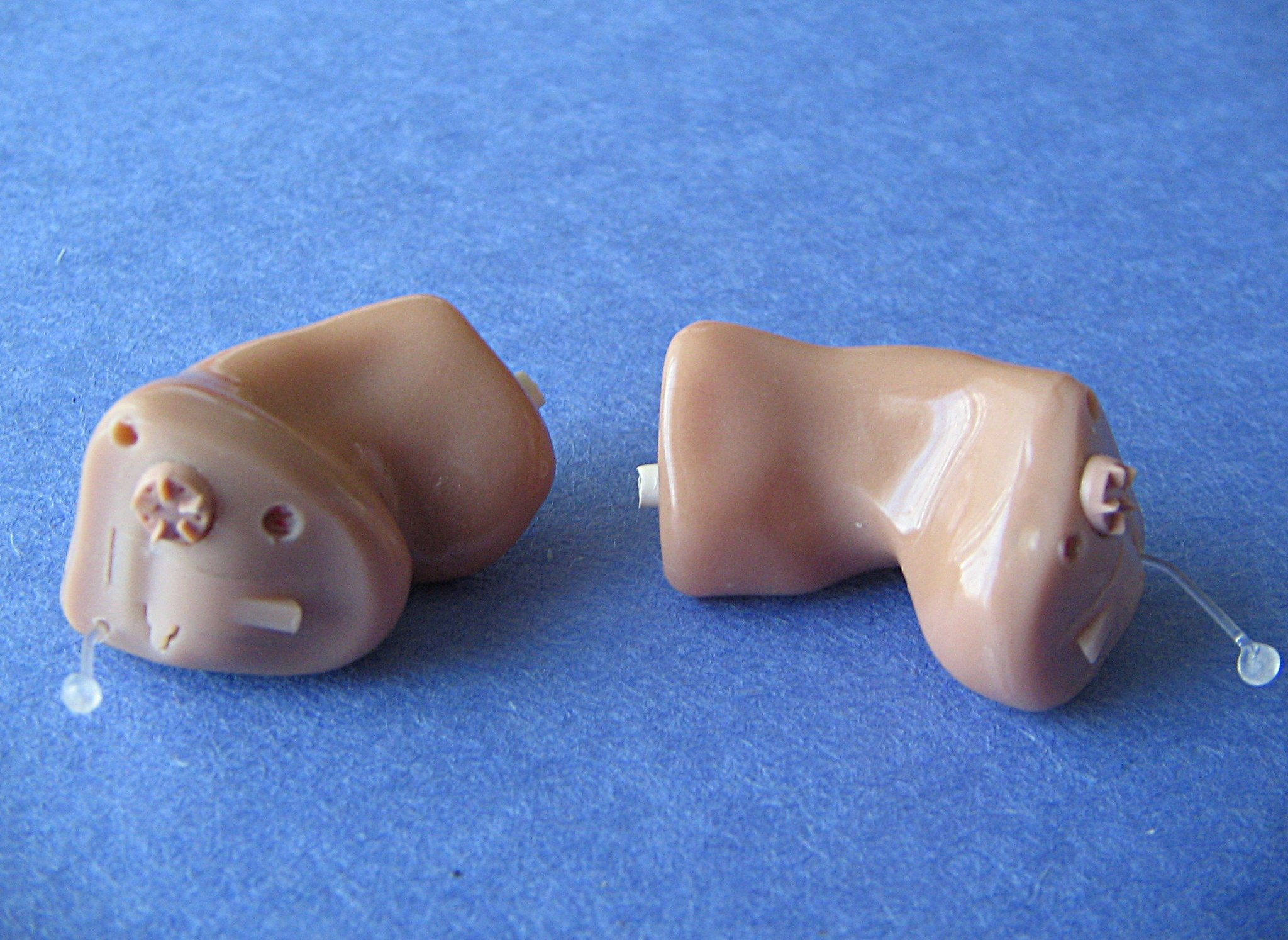
Hearing support is not just about hearing aids. For many older adults, the bigger day-to-day question is whether they can notice important alerts, follow conversations without exhaustion, use the phone, understand appointments, and feel confident when home alone.
Use this checklist to review the home, devices, routines, and follow-up steps in one sitting. You do not need to fix everything at once. The goal is to find the highest-impact gaps, make a few realistic changes, and decide when professional hearing care or extra caregiver backup is needed.
Why This Topic Matters
Hearing loss can quietly affect safety, social connection, and independence. A parent may miss the doorbell, misunderstand medication instructions, avoid calls, stop joining group conversations, or seem more irritable because listening takes so much effort.
Families often notice the practical problems before the older adult is ready to name them. Keep the conversation focused on making daily life easier: fewer missed calls, clearer appointments, safer alerts, and less repeating. That framing protects dignity and makes the checklist easier to use.
1. Check the Current Hearing Pattern
- Notice when hearing is hardest: phone calls, television, restaurants, medical visits, doorbell, alarms, or one-on-one conversation.
- Ask whether the difficulty is new, worsening, one-sided, or linked with dizziness, pain, fullness, ringing, or drainage.
- Check for simple causes such as earwax, illness, medication changes, dead hearing-aid batteries, clogged domes, or devices that are not charged.
- Schedule a hearing evaluation if problems are frequent, worsening, or affecting safety and communication.
Seek prompt medical advice for sudden hearing loss, sudden one-sided change, ear pain, drainage, dizziness, facial weakness, or hearing changes after a fall or head injury. Those are not routine shopping decisions.
2. Make Phone Calls Easier
- Raise ringtone and call volume, then test from the rooms where calls are usually missed.
- Choose a lower-pitched or distinctive ringtone for important contacts.
- Turn on vibration and visual flash alerts if the phone supports them.
- Keep the phone in one predictable charging spot near the main sitting area.
- Add a second handset, amplified phone, captioned phone, or wearable notification if regular calls are still missed.
- Agree on a family call-back routine so every unanswered call does not become a crisis.
If your parent avoids phone calls because they are hard to understand, do not treat that as stubbornness. Speakerphone, captioning, video calls, hearing-aid streaming, or shorter scheduled calls may reduce fatigue.
3. Review Doorbell and Visitor Alerts
- Test the doorbell from the bedroom, bathroom, kitchen, favorite chair, porch, and anywhere the television is often on.
- Add a plug-in chime extender if distance is the main issue.
- Consider a flashing receiver or lamp signal if sound alone is unreliable.
- Consider a vibrating receiver if your parent naps, gardens, or spends time away from the main rooms.
- Use a video doorbell only if the household can manage the app, Wi-Fi, charging or wiring, and privacy tradeoffs.
- Create a backup plan for expected visitors, deliveries, home health visits, and repair appointments.
Match the alert to real habits. A wearable receiver is useful only if your parent will wear it. A flashing receiver works only if it sits where they naturally look. A louder chime helps only if the pitch is easy to detect.
4. Check Safety Sounds Around the Home
- Test smoke alarms and carbon monoxide alarms according to manufacturer instructions.
- Ask whether the alarm sound is loud and clear enough from the bedroom with the door closed.
- Consider alarms with strobe lights, bed shakers, or interconnected alerts if standard sound alarms are not enough.
- Make sure appliance timers, oven alerts, laundry buzzers, and medication reminders can be heard or seen.
- Review emergency alert devices, medical alert buttons, or smart speakers if your parent lives alone.
This category deserves priority. Missed entertainment audio is frustrating; missed smoke, carbon monoxide, medication, or emergency alerts can be dangerous.
5. Improve Everyday Conversation
- Reduce background noise before important conversations.
- Face the person, keep your mouth visible, and speak clearly without shouting.
- Use shorter sentences for medical, financial, or safety instructions.
- Confirm understanding by asking what the next step is, not by asking, "Did you hear me?"
- Put appointment times, medication changes, and care instructions in writing.
- Use captions for television, video calls, and online appointments when available.
Hearing support should reduce effort on both sides. If every conversation becomes a test of patience, the setup needs more help.
6. Review Hearing Aids or Hearing Devices
- Confirm the devices are worn during the situations where support is needed.
- Check battery, charging routine, wax guards, domes, tubing, fit, and cleaning supplies.
- Store devices in one consistent location overnight.
- Ask whether sounds are too sharp, too soft, distorted, or uncomfortable.
- Schedule adjustment with an audiologist or hearing-care provider if the devices are avoided or not helping enough.
- Ask about accessories for phone calls, television, doorbells, and remote microphones.
Many hearing-aid problems are practical rather than motivational. A poor fit, dead battery, clogged part, confusing charger, or uncomfortable program can make a good device feel useless.
Common Mistakes and Tradeoffs
One mistake is buying several devices before testing where the problem happens. A phone amplifier will not solve a missed doorbell. A video doorbell will not help if the parent never checks the app. A hearing aid accessory will not help if the main device is not charged.
Another mistake is relying on volume alone. Some older adults need a different pitch, visual signal, vibration, captions, or a quieter environment. Louder sound can also annoy others in the home or make the older adult feel exposed.
The tradeoff is usually between simplicity and coverage. A basic chime extender is easy to use but limited. A connected alert system covers more situations but adds apps, batteries, Wi-Fi, and privacy decisions. Choose the simplest setup that covers the highest-risk gaps.
When to Involve Outside Help
Bring in professional help when hearing problems are causing missed medical information, isolation, repeated family conflict, unsafe missed alerts, or avoidance of normal activities. A primary care clinician can check for medical causes. An audiologist can test hearing, adjust devices, and suggest alerting accessories. An occupational therapist may help match home alerts to routines and safety needs.
If your parent lives alone and misses urgent calls or visitors, also consider non-medical backup: scheduled check-ins, a neighbor contact, building staff instructions, caregiver visits, or a medical alert service. Hearing support sometimes needs both equipment and people.
One-Week Action Plan
- Pick the top two hearing-support problems to solve first.
- Test the phone, doorbell, and safety alarms in real rooms with normal background noise.
- Fix settings, placement, batteries, charging, and cleaning supplies.
- Add one alert device only if the simple fixes are not enough.
- Write down the backup plan for missed calls or missed visitors.
- Schedule hearing or medical follow-up if changes are sudden, worsening, or affecting safety.
- Review after seven days and keep only the changes that are actually being used.
During the review, ask what felt easier and what still felt annoying. Annoyance matters because a device that is too loud, too bright, or too fussy will quietly stop being used.
Common Questions
What should we check first?
Start with the situations that could create risk: missed medical calls, missed doorbells for expected help, smoke or carbon monoxide alarms, medication reminders, and misunderstood care instructions.
Do we need hearing aids before changing the home?
No. Hearing evaluation is important, but home fixes can begin now. Phone settings, visual alerts, captions, chime extenders, written instructions, and family backup routines can reduce risk while hearing care is being arranged.
How do we avoid overwhelming my parent?
Choose one problem and one change at a time. Let your parent choose tones, receiver locations, and which family calls need backup. A plan that feels respectful is more likely to last.
What if the first device does not work?
Treat it as useful information. If a loud chime is ignored, try pitch, placement, visual cues, or vibration. If a wearable is forgotten, use room-based alerts. Keep what worked and change only the weak part.
What to Document
Write down device names, settings, receiver locations, batteries or charging routines, hearing-care appointments, and who responds when calls go unanswered. Keep the notes short enough that another family member can use them.
Good documentation prevents the family from restarting the same conversation every month. It also helps clinicians, audiologists, and care managers understand the real pattern instead of guessing from a vague report that "hearing is getting worse."